
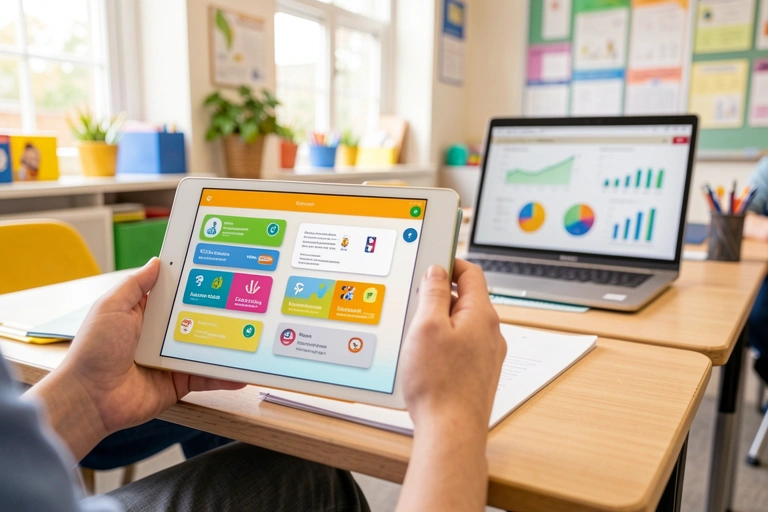
Mobile vs Desktop: Best Devices for Recording Observations
The Modern Observation Dilemma
In today's dynamic primary school classroom, every moment is a potential learning opportunity. From a breakthrough in understanding fractions to a collaborative success in the construction area, these small steps form the big picture of a child's progress. Capturing these moments is the cornerstone of effective formative assessment and meaningful parent communication. But as technology becomes more integrated into school life, a crucial question arises for educators: what is the best device for recording these vital observations? Is it the smartphone in your pocket, the tablet in the reading corner, or the trusty desktop computer in the PPA room?
The choice is more than just a matter of preference; it impacts workflow, efficiency, and the quality of the observations themselves. While advanced platforms like Parent Portal are designed to work seamlessly across all devices, understanding the unique strengths of mobile and desktop can help schools refine their processes, reduce teacher workload, and supercharge their parent engagement strategies. This guide breaks down the debate to help you find the perfect balance for your school.
The Case for Mobile: Capturing Learning on the Go
The greatest advantage of a mobile device—be it a smartphone or a tablet—is its immediacy. Learning doesn't wait for you to be at your desk, and mobile tech ensures you're always ready. This is where mobile devices truly shine, turning observation from a scheduled task into a fluid part of the teaching day.
Immediacy and Authenticity: Spontaneous moments of discovery are fleeting. With a mobile device, a teacher can instantly capture a 30-second voice note using Parent Portal’s Voice-Recorded Observations feature, narrating a child's thought process as it happens. This micro-observation is authentic, rich with context, and requires minimal interruption to the flow of the lesson. It’s a powerful way to document learning that would otherwise be lost or simplified in a later write-up.
Rich Multimedia Capture: Mobile devices are built for multimedia. Taking a quick photo of a student's impressive model or a short video of them explaining their science experiment provides powerful, visual evidence of learning. Features like Parent Portal’s Photo & Video Observations allow teachers to share these moments directly with parents, creating a vibrant, visual learning story that a text-only report could never replicate. This is particularly vital in EYFS settings, where much of the learning is play-based and action-oriented.
The goal of formative assessment is not to audit learning, but to inform it; to see the next step in a child's unique journey.
Flexibility and Freedom: From the forest school area to the playground, or even on a school trip, mobile devices untether teachers from their desks. They can move freely, engaging with children in their own environment while discreetly documenting progress. This mobility is essential for a holistic approach to observation, ensuring that learning is captured across all contexts, not just within the four walls of the classroom.
The Power of the Desktop: Deep Dives and Detailed Analysis
While mobile is king for capturing the moment, the desktop or laptop computer remains the powerhouse for reflection, analysis, and administration. The focused environment of a dedicated workstation, typically used during valuable PPA time, is where raw observations are transformed into actionable insights.
Efficiency for Detailed Work: A full-sized keyboard and large screen make a world of difference when it comes to detailed data entry. After capturing quick voice and photo notes during the day, a teacher can sit at their laptop, review the automatically transcribed notes in Parent Portal, add further detail, and link the observation to multiple EYFS or National Curriculum objectives. This is a far more comfortable and efficient process than trying to type extensive notes on a small touchscreen.
Data Analysis and Reporting: One of the most significant benefits of modern edtech is the ability to see the bigger picture. A desktop monitor is the ideal canvas for viewing a child’s entire Student Learning Profile. Teachers can analyse progress over time using AI-Powered Progress Analysis, spot patterns, and identify strengths or areas needing support. Preparing for parents' evenings or writing end-of-term reports becomes an evidence-led process, not a memory test. This is a prime example of how the right school admin software can drastically reduce teacher workload.
Empower staff by combining the best of both worlds. Use school-provided tablets during lessons for quick, in-the-moment evidence capture (voice notes, photos).
Then, during allocated PPA time, use laptops or desktops to review, annotate, and approve these observations.
This separates the task of capturing from the task of analysing, making both more efficient and less overwhelming.
Centralised School Management: Beyond individual observations, the desktop is the hub for wider school administration. Setting up online booking for Parents' Evenings, using the AI Report Writing Assistant to generate personalised comments, building custom permission forms, or managing payments for trips and clubs are all tasks better suited to the larger interface and focused nature of a desktop computer.
Finding the Perfect Balance: A Hybrid Approach Is Best
The most effective, efficient, and sustainable approach isn't choosing mobile or desktop; it's embracing mobile and desktop. A hybrid workflow leverages the unique strengths of each device, creating a seamless cycle of observation that supports teachers rather than adding to their burden. This is the future of smart classroom management and a key trend in edtech for 2025.
Imagine this workflow: throughout the day, a teacher uses an iPad to snap photos of group work and record quick voice notes about individual achievements. The evidence is captured instantly, with no momentum lost. Later, during their PPA time, they log into the Parent Portal web app on their laptop. All the observations are there, waiting in their approval queue. They can now listen back, read the transcriptions, add detailed commentary, and share the finished observation with parents in just a few clicks. This two-step process respects the different demands of classroom time and admin time, leading to a significant reduction in teacher workload and stress.
This approach aligns perfectly with the need for robust school communication tools. Parents receive a steady stream of rich, timely updates from the classroom, captured via mobile, while teachers benefit from the analytical and administrative power of the desktop to manage this communication effectively. It’s a win-win that places powerful technology in service of great teaching.
Conclusion: The Right Tool for the Right Task
Ultimately, the debate over mobile vs. desktop for recording observations is a false choice. The question isn't which device is superior, but how can we use all the tools at our disposal to create the most efficient and impactful system for tracking student progress? Mobile devices are unparalleled for capturing authentic learning as it happens. Desktops provide the focused environment needed for the crucial work of reflection, analysis, and reporting.
A truly integrated platform like Parent Portal understands this duality. By providing a seamless experience across all devices, it empowers educators to build a flexible, hybrid workflow that fits their teaching style and schedule. This intelligent use of technology is key to reducing teacher workload, enhancing the quality of formative assessment, and building the strong school-home partnerships that help every child to thrive.
Comments