Capture
Record the moment in the flow of the school day.
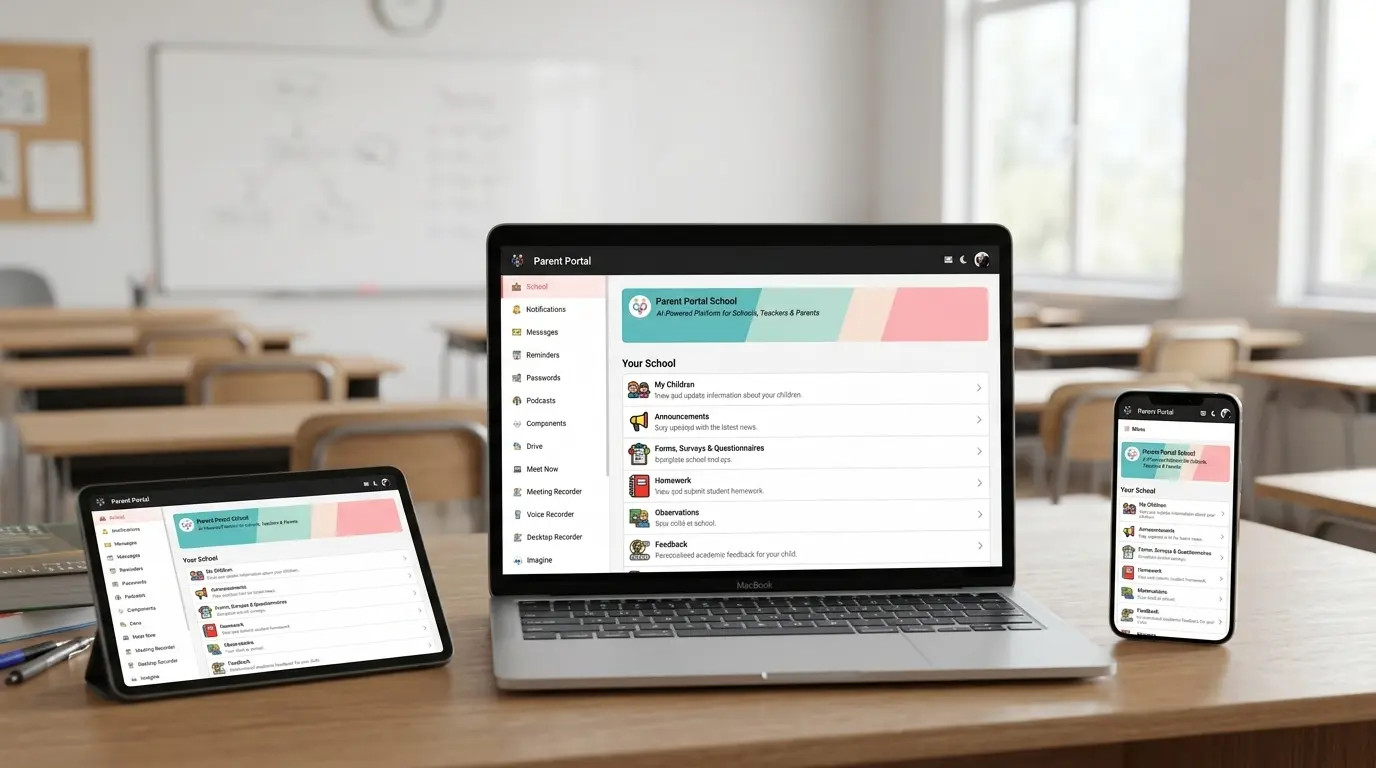
Everything your school runs on, in one place: messages, announcements, payments, clubs, parents’ evenings, observations, medical, safeguarding, homework, reports and more.
Staff enter information once Parents get one app instead of five
 Classroom capture
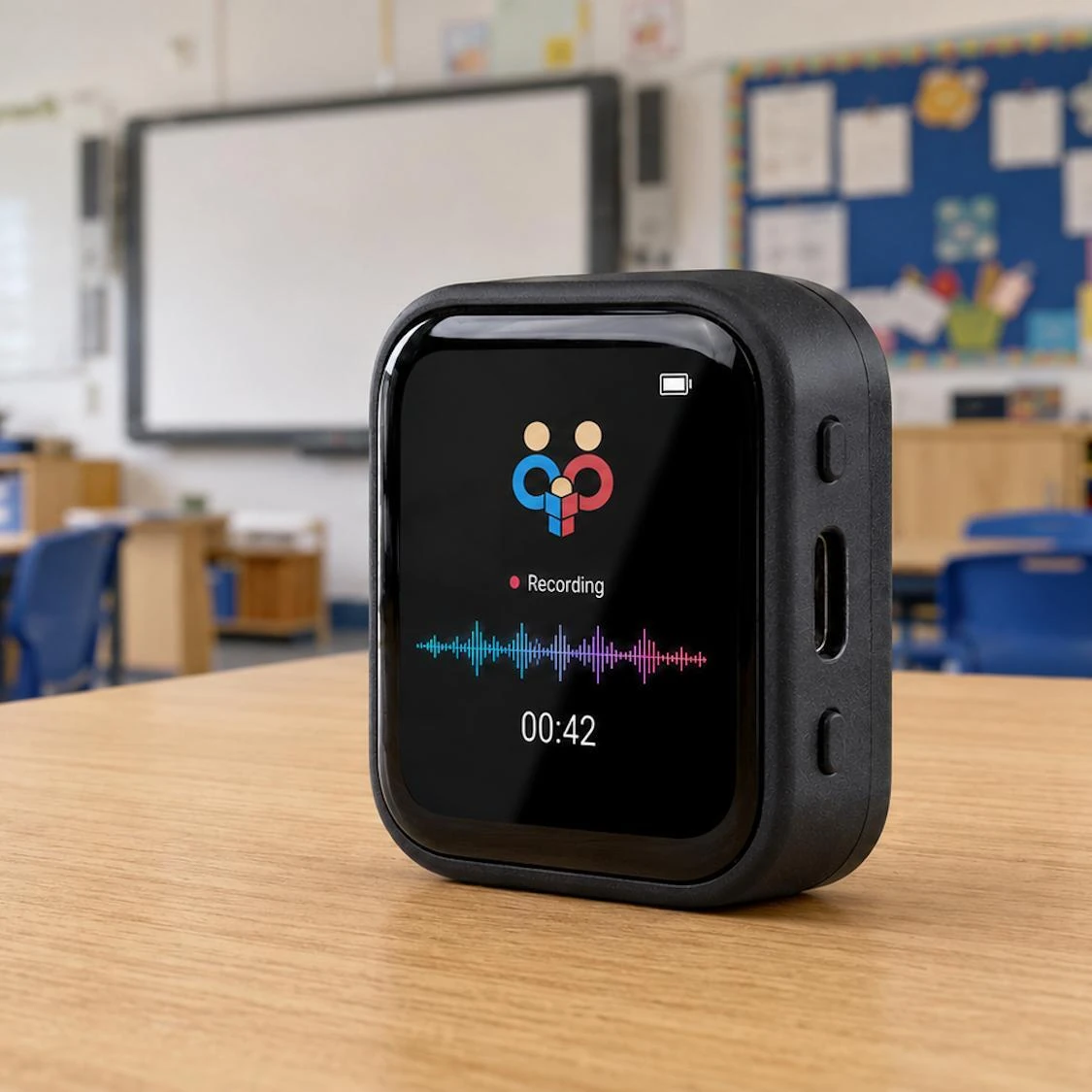
Parent Portal Puck
Classroom capture
Parent Portal Puck
Separate systems create multiple logins, apps, renewals, DPIAs and onboarding journeys. Staff repeat work, families miss information and no one sees the whole child.
Useful evidence moves through a simple, staff-controlled cycle instead of disappearing into separate systems.
Record the moment in the flow of the school day.
Bring the right context together around each child.
Use AI to organise and draft, never to decide.
Staff check, edit, apply judgement and approve.
Put approved information to work across the school.
Reports, parent meetings, safeguarding and attendance become more useful when the right context can be brought together around each child.
Observations, assessment, attendance, behaviour, homework and interventions sit around the same child record so teachers can review an evidence-backed draft.
Attendance, behaviour, homework and continuous observations can prepare staff before the meeting, then an approved summary can be shared with the family.
Concerns, attendance and behaviour can be considered together, with patterns surfaced for DSL review rather than left in separate systems.
A change in attendance can be reviewed alongside wellbeing, behaviour and family communication, giving staff context before deciding the right follow-up.
Adopt the workflows you need first, then add more without creating another disconnected system.


Bring everyday school workflows together under one contract, one renewal and one onboarding journey.
Each workflow keeps people in control while approved information is reused safely across the school.
Observations, assessment and attendance become an evidence-backed draft for the teacher to check, edit, apply professional judgement and approve.
Run the whole meeting journey in one place, with browser or app video and consent-based recording where the school chooses it.
Translate the same staff-approved meaning across messages, announcements, forms, documents and meeting summaries.
Help staff and families find answers grounded in documents the school has approved—not an open web search and not a guess.
Purpose-built verbal evidence capture for the classroom.
A teacher speaks naturally. Parent Portal transcribes the observation, attaches it to the child and suggests relevant links for staff to review and approve.
Full functionality is also available on iOS and Android. The dedicated Puck is less distracting and keeps camera-equipped phones out of the classroom.
Fewer separate suppliers, renewals and onboarding journeys. A clearer view of engagement, attendance and wellbeing.
Capture evidence once, reduce repeated administration and prepare reports and conversations from connected context.
One free place for communication, learning and daily school life on iOS, Android or the browser.
A more complete story, with the right people able to notice patterns and act with better information.
Parent Portal keeps professional judgement, approval and final decisions visibly with the people who know the child.
Documented hosting choices for school data.
Identifying information is filtered before any approved external AI service is used.
Role access, audit records and audience controls limit who can see and share information.
Schools can manage retention, export and deletion with their DPO requirements in mind.
Parent Portal works alongside your management information system while Wonde supports the operational connection.
 Parent PortalConnected via Wonde
Six everyday changes show what a connected school looks like in practice.
Straight answers about onboarding, pricing, data and how Parent Portal works alongside your existing systems.
Ask us something elseWe start with one pilot teacher, one class and one module. Once they are comfortable, your school can add features at its own pace. There is no big-bang switchover, and most schools start seeing value within the first week.
Pricing is all-inclusive and tailored to your pupil count. There are no setup fees, hidden module charges or long-term contract requirements. Contact us for a personalised quote.
No. Parent Portal works alongside your existing MIS. Through Wonde, pupils, classes and attendance can sync with systems including Arbor, SIMS and Bromcom, while your MIS remains the source of truth.
Yes. Most schools connect their MIS through Wonde for an automatic sync. If your MIS is not supported, the team can help with a spreadsheet import.
It is built around the parent-child relationship rather than treating families as a read-only audience. Because communication, medical information, safeguarding, payments and learning data live together, schools can see connections that separate tools miss.
Parent Portal is designed for UK schools, with encrypted UK data storage, access controls and full audit trails. Privacy protections are built into features such as SchoolGPT, where identifying details are removed in the browser.
Choose one workflow, set a simple baseline and see what changes. Prove the value there, then build a more connected school at a pace that works for your team.
At one UK prep school, every pupil has a parent signed up and 8 in 10 parents use Parent Portal on a school day.