
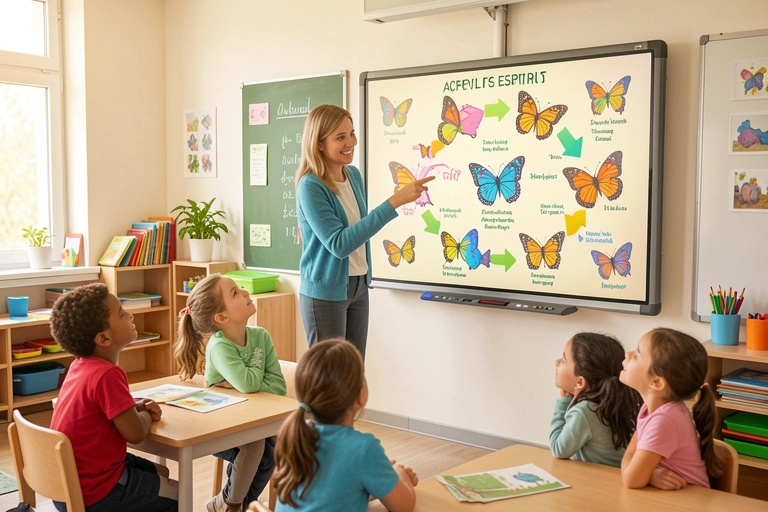
AI-Generated Infographics: Making Complex Concepts Simple
How do you explain the complexities of the water cycle to a group of seven-year-olds? Or break down the timeline of the Roman Empire for a Year 5 class? Teachers are masters at making the complex simple, but it often requires a huge investment of time and creativity to build the right resources. For decades, one of the most powerful tools in a teacher's arsenal has been the infographic: a vibrant, visual summary that can convey information far more effectively than a wall of text. The only problem? Creating a good one takes hours. Until now.
The rise of artificial intelligence is changing the game. AI-powered tools can now generate beautiful, informative, and age-appropriate infographics in seconds. This isn't just a novelty; it's a revolutionary step forward in educational technology that promises to significantly reduce teacher workload while boosting student understanding and engagement. By embracing these tools, schools can free up teachers to do what they do best: teach.
Why Infographics Work in the Classroom
The power of infographics isn't just anecdotal; it's rooted in cognitive science. Our brains are hardwired for visual information. A well-designed infographic leverages this by combining images, icons, charts, and minimal text to make information more accessible and memorable. For students, this visual approach offers a wealth of benefits.
Firstly, it improves comprehension and retention. Breaking down a topic like ‘parts of a plant’ or ‘food chains’ into a visual map helps students see the connections and hierarchy of information. This is particularly effective for learners who find dense text challenging. Secondly, it caters to diverse learning styles, providing a vital resource for the visual learners present in every classroom. Finally, infographics are simply more engaging. A colourful, dynamic visual is far more likely to capture a child's attention than a static worksheet, sparking curiosity and making learning feel more like discovery.
From Manual Creation to AI Generation: A Teacher's Time-Saver
Ask any teacher about creating resources, and they'll likely tell you about the hours spent after school and on weekends planning, designing, and refining materials. Creating an infographic traditionally falls into this time-consuming category. The process involves researching the content, sourcing appropriate icons and images, choosing a colour scheme, and painstakingly arranging every element in a design program. It's a task that requires both pedagogical and graphic design skills.
This is where AI becomes a teacher's most valuable assistant. With an AI infographic generator, the process is flipped on its head. A teacher simply inputs the topic (e.g., "Ancient Egyptian Gods"), the key points to include, and the target year group. Within moments, the AI analyses the request and generates a complete, well-structured infographic. It selects relevant icons, creates a logical layout, and presents the information clearly. The teacher's role shifts from laborious creator to expert editor, making small tweaks to ensure the content perfectly matches their lesson objectives. The hours of design work are reduced to minutes, directly tackling the issue of excessive teacher workload.
The human brain processes images 60,000 times faster than text, and 90 percent of information transmitted to the brain is visual.
This reclaimed time is invaluable. It can be reinvested into providing one-on-one student support, collaborating with colleagues, or simply achieving a healthier work-life balance. By automating the design process, AI empowers teachers to produce high-quality, customised resources on demand, without the associated time cost.
Putting AI Infographics to Work: Classroom to Home
The applications for AI-generated infographics are vast and extend far beyond a single lesson. They can become an integral part of a school's teaching, learning, and communication strategy. In the classroom, an infographic can serve as an exciting lesson starter, a helpful scaffold for students who need extra support, or a concise summary to consolidate learning at the end of a unit. You could even challenge students to use AI tools under supervision to create their own infographics, developing their digital literacy and research skills.
The benefits multiply when integrated with effective school communication tools. Platforms like Parent Portal allow teachers to instantly share these visual resources with families. Imagine sending home a clear, simple infographic that explains the new maths concept your class started today. This simple act transforms parent engagement from passive awareness to active support. Parents are better equipped to help with homework and discuss learning at home, creating a powerful, consistent educational environment for the child. It demystifies the curriculum and builds a stronger school-home partnership.
Generate complete lesson plans, create differentiated comprehension tasks, or even draft end-of-term report comments based on student observation data.
It's a suite of tools designed to give you back your most valuable resource: time.
Furthermore, school administration can leverage infographics to communicate important information to the entire school community. A visual guide to new safeguarding policies, a timeline for upcoming school events, or a breakdown of a fundraising goal are all more likely to be read and understood when presented visually and delivered directly to parents' phones via a dedicated app.
Navigating the World of AI Infographic Tools
As with any emerging technology, the landscape of AI tools can seem daunting. When considering which tools to adopt, schools should prioritise those that are designed with education in mind. Look for platforms that are easy to use, offer customisation options, and, most importantly, are compliant with GDPR and data privacy regulations. The best tools are those that integrate seamlessly into a school's existing digital ecosystem.
It's also crucial to establish best practices. AI is a powerful assistant, not a replacement for professional judgment. Teachers should always review AI-generated content for accuracy, age-appropriateness, and potential bias. The goal is to use AI as a starting point—a launchpad for creativity that is then refined by the teacher's expertise. Keeping designs clean, focusing on a single core concept per infographic, and ensuring factual accuracy are key to making them effective learning aids.
- David Chen, Head of Science, Primary Academy
When an AI teaching assistant is embedded within a comprehensive school admin software platform like Parent Portal, the benefits are compounded. There's no need to juggle multiple logins or subscriptions; the tools are right there, alongside messaging, attendance, and progress tracking features.
Visual Learning Reimagined: The Future is Bright (and Beautifully Designed)
AI-generated infographics represent a significant leap forward in how we create and share educational content. They offer a tangible solution to the persistent problem of teacher workload while simultaneously enriching the learning experience for students and fostering greater parent engagement. This is a clear indicator of where edtech 2025 is heading: towards smarter, integrated systems that automate administrative tasks and empower teachers with powerful creative tools.
By embracing these innovations, school leaders can cultivate a more dynamic, efficient, and collaborative educational environment. The future of learning is not just about what we teach, but how we present it. With AI as a partner, that future looks incredibly bright, engaging, and beautifully designed. Exploring a platform like Parent Portal is the first step towards bringing this efficiency and creativity into your school today.
Comments