
Getting Started With Voice-Recorded Observations: A Step-by-Step Guide
The Challenge of Capturing Authentic Learning
As educators, we know that the most magical learning moments are often the most fleeting. They happen in a burst of creativity in the block area, a thoughtful question during story time, or a breakthrough in understanding at the maths table. The traditional method of frantically scribbling notes on a clipboard or sticky note while trying to manage a busy classroom often fails to do these moments justice. By the time you write it down, the context is lost, the exact wording is forgotten, and the opportunity to capture the child's tone and excitement has vanished. This process is not only inefficient; it adds significantly to teacher workload and can feel disruptive to the natural flow of learning.
What if there was a better way? A method that is faster, richer, and more integrated into your daily practice? Welcome to the world of voice-recorded observations. Using a simple tool like the Parent Portal app, you can capture high-quality, detailed observations in seconds, using the most natural tool you have: your voice. This guide will walk you through, step-by-step, how to get started and master this game-changing approach to assessment and parent communication.
Why Voice Observations are a Game-Changer for Teachers
Before we dive into the 'how', let's talk about the 'why'. Shifting from written to voice notes isn't just a minor tweak; it's a fundamental upgrade to your teaching toolkit. The primary benefit is a dramatic reduction in workload. Instead of spending precious minutes writing, you can record a 30-second voice note that contains far more detail. This frees you up to spend more time interacting with children and less time on administrative tasks.
Moreover, voice observations are inherently richer. You can capture a child's exact words, their intonation, their confidence, or their hesitation. You can describe the scene with nuance that is difficult to convey in hurried writing. When these observations are automatically transcribed and analysed by Parent Portal's AI, they become a powerful data source, revealing patterns in learning and development that inform your planning and interventions. It’s a core component of modern school admin software, designed to empower teachers, not bury them in paperwork. This is the future of smart, efficient edtech in 2025 and beyond.
The most profound learning often happens in the fleeting, unscripted moments of play and discovery. Capturing them shouldn't be a chore; it should be an extension of the teaching moment itself.
This method also transforms parent engagement. Imagine a parent receiving an alert not just with a photo, but with a teacher’s voice note excitedly describing their child's 'wow' moment. It builds a powerful, personal connection between home and school, making parents feel like true partners in their child's educational journey.
Step 1: Setting the Stage for Success
Preparation is key to integrating any new tool smoothly. First, ensure you have the Parent Portal app installed on a school device you can easily carry, like a tablet or smartphone. Familiarise yourself with where the observation feature is located. The beauty of the system is its simplicity; it’s typically just a tap away.
Next, consider communicating this new approach to parents. You can send out a message via Parent Portal explaining that you'll be using voice notes to capture and share learning moments. Frame it as a positive step towards providing richer, more timely updates. This proactive communication ensures parents understand why you might be speaking into your device and builds excitement for the insights they will receive. It positions your school as forward-thinking and dedicated to using the best school communication tools available.
Step 2: Capturing Your First Voice Observation
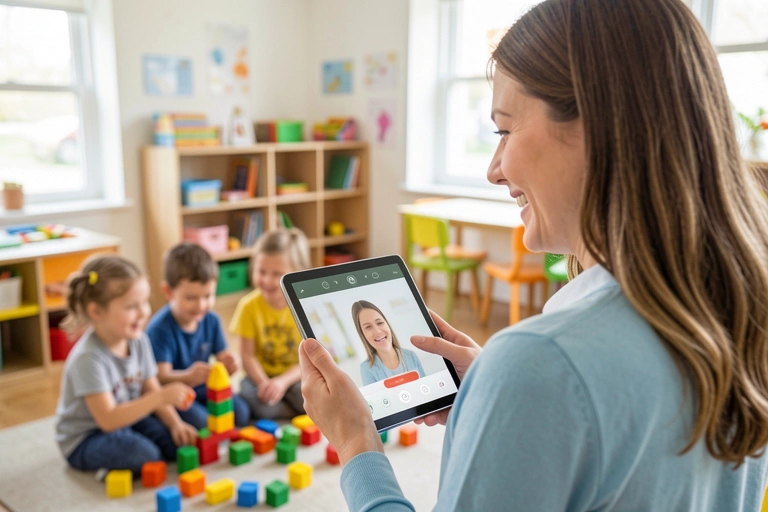
Here comes the fun part. The process is designed to be as unobtrusive as possible. When you witness a moment you want to capture, simply open the Parent Portal app, navigate to observations, select the child or children involved, and tap the record button. Hold the device naturally and speak your observation. For example, you might say: "Amelia is in the writing corner. She's just written her name for the first time without help and pointed to each letter, saying 'A-M-E-L-I-A'. She looks so proud of herself."
Once you're done, tap stop. You can then add a quick title or tag it to a specific curriculum area, like 'Literacy' or 'EYFS - Writing', directly in the app. That's it. In less than a minute, you have created a detailed, evidence-backed record of a key developmental milestone. The observation is securely saved, transcribed, and ready for the next step.
Aim for micro-observations of 30-60 seconds.
Focus on what the child says and does. Use direct quotes where possible.
Describe the context briefly. (e.g., "During group maths on the carpet...").
Don't worry about perfect grammar; Parent Portal's AI helps transcribe and analyse your notes, allowing you to focus purely on capturing the moment.
Don't overthink it. Your first few might feel a little strange, but it will quickly become second nature. The goal is to capture genuine moments as they happen, creating a rich tapestry of a child's daily experiences at school.
Step 3: From Recording to Insight – The Magic of AI
This is where Parent Portal elevates voice recording from a simple convenience to a powerful analytical tool. Once your voice note is saved, the platform’s AI gets to work. It automatically transcribes your speech into text, creating a searchable, written record. But it doesn't stop there. The system is designed to analyse the content of your observations over time.
By linking observations to EYFS or National Curriculum objectives, Parent Portal's AI can automatically track progress against age-related expectations. It identifies strengths, flags potential areas for development, and can even suggest next steps. For school leaders and teachers, this provides an incredible overview of individual and cohort progress without spending hours manually collating data. When it's time for parents' evenings or report writing, the AI Report Writing Assistant can use this accumulated data to generate unique, evidence-based comments, helping you to reduce teacher workload significantly.
- Chloe R., Early Years Lead
This intelligent analysis transforms a series of small observations into a comprehensive learning profile for every child. It’s a perfect example of how technology can handle the heavy lifting of data management, allowing educators to focus on what they do best: teaching.
Step 4: Sharing with Parents and Building Connections
With Parent Portal, you are in complete control. Observations are not automatically sent to parents. They enter an approval workflow, allowing you or a senior leader to review them before sharing. This ensures quality, consistency, and appropriateness. Once approved, you can share the observation directly to the parent's feed.
The impact of this on parent engagement is profound. A parent can be at work and receive a notification. They open the app to see a photo of their child and hear your voice note describing a moment of achievement or kindness. This is infinitely more powerful than a generic newsletter. It provides a real, tangible window into their child's day, fostering trust and strengthening the home-school partnership. It validates the incredible work you do every day and demonstrates the progress their child is making in a way that is personal and meaningful.
The Future of Assessment is Here
Adopting voice-recorded observations isn't about adding another task to your plate; it's about replacing an outdated, inefficient process with a smarter, faster, and more effective one. By integrating this practice through a comprehensive platform like Parent Portal, you do more than just record notes. You build a dynamic, longitudinal record of each child’s journey, streamline assessment, automate administrative tasks, and deepen your connection with parents.
This is more than just a feature; it's a new philosophy for classroom assessment. One that values authenticity, respects teacher time, and leverages technology to create a holistic view of student development. Take the first step today, record your first observation, and discover how this simple change can have a massive impact on your practice and your school community.
Comments